
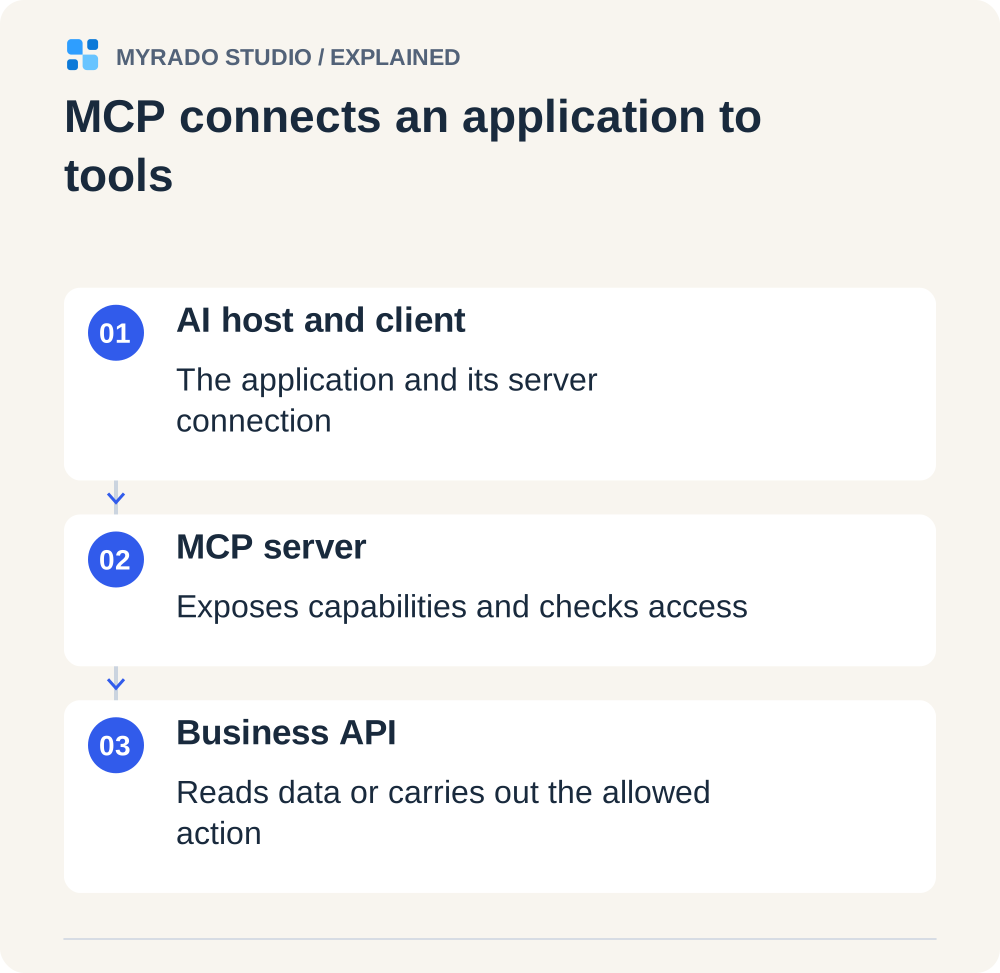
An MCP server is a small service that gives an AI assistant, such as Claude, ChatGPT or Cursor, a fixed list of tools for one of your systems: find a deal, list overdue invoices, create a task. It speaks the Model Context Protocol (MCP), an open standard, so the same server works in every assistant that supports the protocol.
This guide explains MCP for business readers: what it is, when it beats an API integration or a workflow, what can go wrong and what it costs. Protocol details come from the official specification, revision 2026-07-28, as we read it on 7 October 2026. The worked example is our own open-source server. We offer MCP server development, so we have a stake; we also list the cases where a custom server is unnecessary.
What is an MCP server?
The official introduction calls MCP an open-source standard for connecting AI applications to external systems and compares it to a USB-C port: one plug shape, many devices. Before MCP, every assistant needed its own connector for every system. With MCP you write the connector once.

| Part | What it is | Example |
|---|---|---|
| Host | The AI application a person uses | Claude, ChatGPT, Cursor, VS Code |
| Client | The connector inside the host that talks to one server | Built into the host |
| Server | Your service, which offers tools and data | A server for your CRM |
| Tools | Functions the model may call | search_deals, create_task |
| Resources | Data the model or the person can read | A schema, a policy document |
| Prompts | Ready-made templates for people to start from | “Summarize this account” |
A server runs in one of two ways. A local server is a program on the user’s computer that the AI application starts itself; the specification calls this transport stdio. A remote server is a web service at an HTTPS address; this transport is called Streamable HTTP. Local is simpler and suits one person or a developer. Remote suits a team, because sign-in, roles and logs live in one place.
Dates worth knowing:
- 25 November 2024. Anthropic introduces MCP.
- 9 December 2025. Anthropic donates MCP to the Agentic AI Foundation under the Linux Foundation, co-founded with Block and OpenAI. The announcement counts more than 10,000 active public MCP servers.
- Revision 2026-07-28. The current specification at the time of writing. It drops connection-level sessions: every request now carries what the server needs, which simplifies hosting a remote server.
- 23 September 2026. By press reports, Anthropic opens Claude Marketplace with more than 2,000 connectors and plugins.
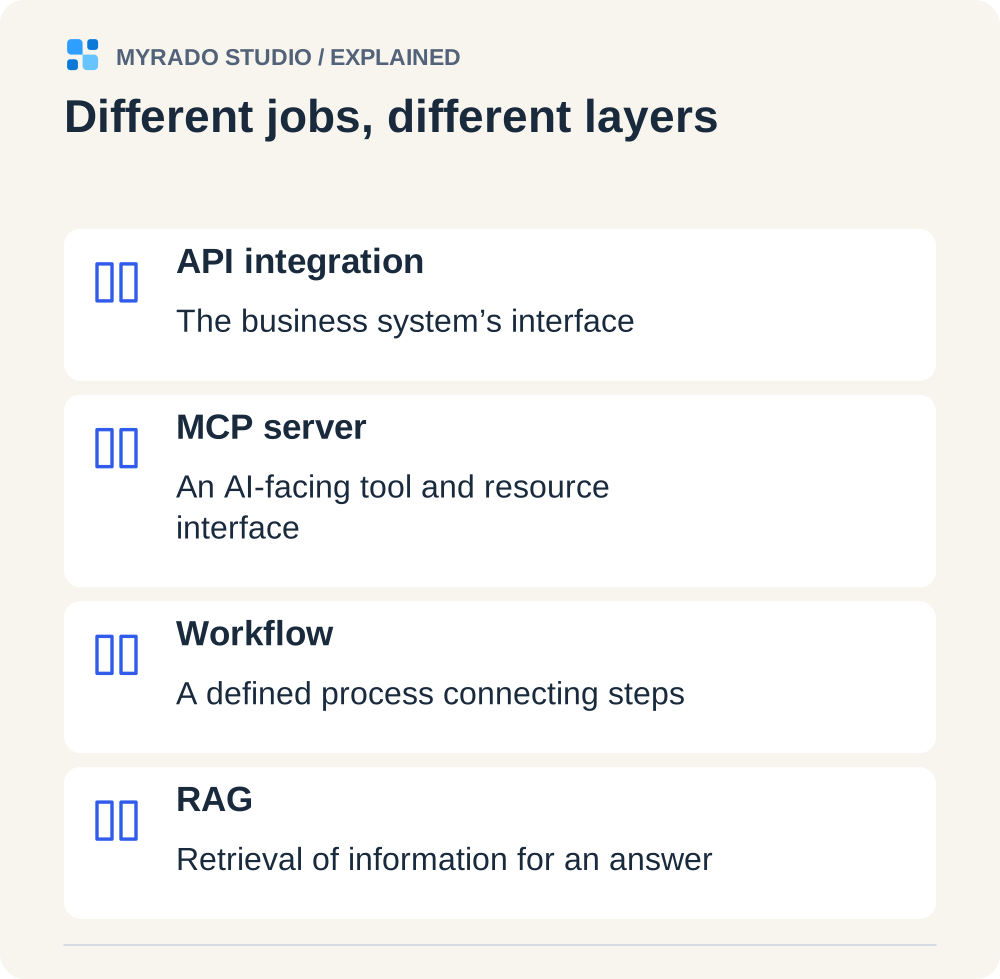
MCP server vs API integration vs workflow vs RAG
| API integration | MCP server | Workflow (n8n, Make, Zapier) | RAG assistant | |
|---|---|---|---|---|
| Who starts it | Another program | A person asking in chat; the model picks the tool | An event or a schedule | A person asking a question |
| Best at | Fixed system-to-system exchange | Questions and one-off actions on live data | Repeatable processes | Answers from documents, with sources |
| Decides the next step | Code | The model, within the tools you allow | The workflow’s fixed steps | The model, from retrieved passages |
| Permissions | A key or OAuth per integration | Per user and per tool | Usually one service account per workflow | By role, before the search |
Rules of thumb:
- The task repeats on a trigger (every new order, every night): build a workflow. See our n8n vs Make vs Zapier comparison.
- The answer is in documents: build a knowledge-base assistant (RAG).
- People ask different questions about live records and sometimes act on them: this is where an MCP server fits.
- Two programs exchange fixed data: a plain API integration is enough. An MCP server doesn’t replace your API. It usually calls it.
Three shortcuts to check before you build
- Does the vendor already offer a connector? Many SaaS products now ship an MCP server or appear in the assistants’ directories. If it covers your fields and permissions, use it.
- Can your automation platform expose the action? Zapier, Make and n8n can all expose app actions or existing automations as MCP tools. On Zapier one MCP tool call used two tasks in October 2026.
- Is the system simply documents? Then search, not tools, is the job.
A custom server earns its cost when the system is internal or heavily customized, when different people must see different data, when writes need rules and confirmation, or when you need a record of every call.
What businesses use MCP for
Illustrative examples, not client cases.
- Sales. “Which deals in negotiation haven’t moved in ten days?” The server runs a filtered CRM query and returns owners and last activity.
- Finance. “Who has owed us money for more than 30 days?” The server reads the accounting system and drafts reminders that a person sends.
- Operations. “Create a task for the warehouse to recount this item.” The assistant shows the task and waits for confirmation before it is created.
- Owners. One question that needs the store, the ad accounts and the books at once.
In the 183 client requests we collected from Upwork, Freelancer.com, PeoplePerHour and Hacker News (mostly June–September 2026), 13 asked for internal AI systems built around Claude, MCP or self-hosted agents, and about 24 mentioned Claude, Claude Code or MCP by name. One Swiss small or mid-sized company offered $50 or more an hour for a Claude and MCP architect. Fiverr’s Business Trends Index reported demand for Claude Code specialists up 938% over the six months to April 2026. The sample is small and the Upwork part came from targeted searches, so read these as signals.
Worked example: design choices in our open-source checkbox-mcp
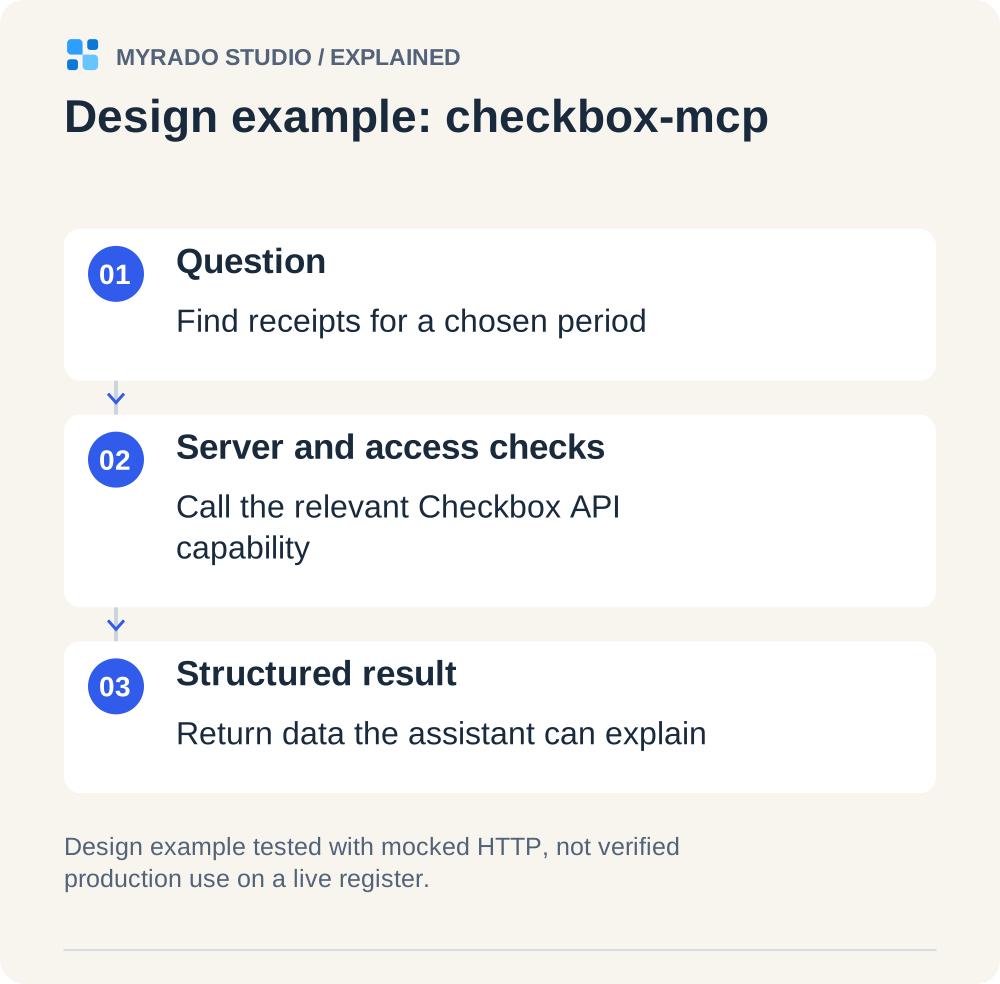
checkbox-mcp is an MCP server we published under the MIT licence. It connects an AI assistant to the API of Checkbox, a Ukrainian software cash register, so the assistant can answer questions about receipts, shifts and daily reports. It is unofficial and not affiliated with Checkbox.

Its status, stated plainly: version 0.1.0 is built from the vendor’s official OpenAPI document, and every test runs against a mocked HTTP layer that checks each request against a snapshot of that document. It has not been verified on a live cash register yet. We use it here as an example of design, not as proof of production use.
A fiscal receipt is a legal document. Once created it can’t be edited or deleted, only offset by a return receipt. That shaped every decision, and the same reasoning applies to invoices, payments, bookings and stock.
| Design choice | What the server does | Why it matters for any business system |
|---|---|---|
| Task-shaped tools | 16 read tools named after questions: current shift, receipt search, reports, offline status | The model picks tools by name and description; fifty raw endpoints confuse it |
| Read-only by default | The 7 write tools are registered only when the owner sets an explicit switch. Without it the model can’t see or call them | A tool that isn’t there can’t be misused, whatever the prompt says |
| Honest labels | Read tools are marked read-only. Tools that create fiscal records are marked destructive, so clients ask for confirmation. No write tool claims to be safe to repeat | Clients use these hints to decide when to ask the user |
| Strict input | Unknown arguments are rejected; amounts must be whole numbers in the smallest currency unit | A misspelled “discount” must not produce a receipt with the wrong total |
| No blind retries | A write is never repeated automatically, with one exception: a single retry after an authentication refusal. If the outcome is unknown, the tool says so and how to check. Each new receipt gets a unique ID first, so a retry can’t create a duplicate | Timeouts are when duplicates are born |
| Less data to the model | Lists return short summaries without customer contacts, 25 items a page and 100 at most | Whatever a tool returns goes to the model provider |
| Credentials stay local | Read from environment variables, never written to logs or results; redirects aren’t followed | A key must not end up on another host |
| Limits written down | The documentation lists what isn’t covered and what the server can’t protect against | The buyer should know the edges before production |
Two limits the documentation states are true of every MCP server. First, tool results are sent to the AI model you use and to its provider. Second, text stored in your system, such as product names or comments, reaches the model as it is and may contain instructions planted by someone else. That is called prompt injection, and it is the main reason to approve every write yourself.
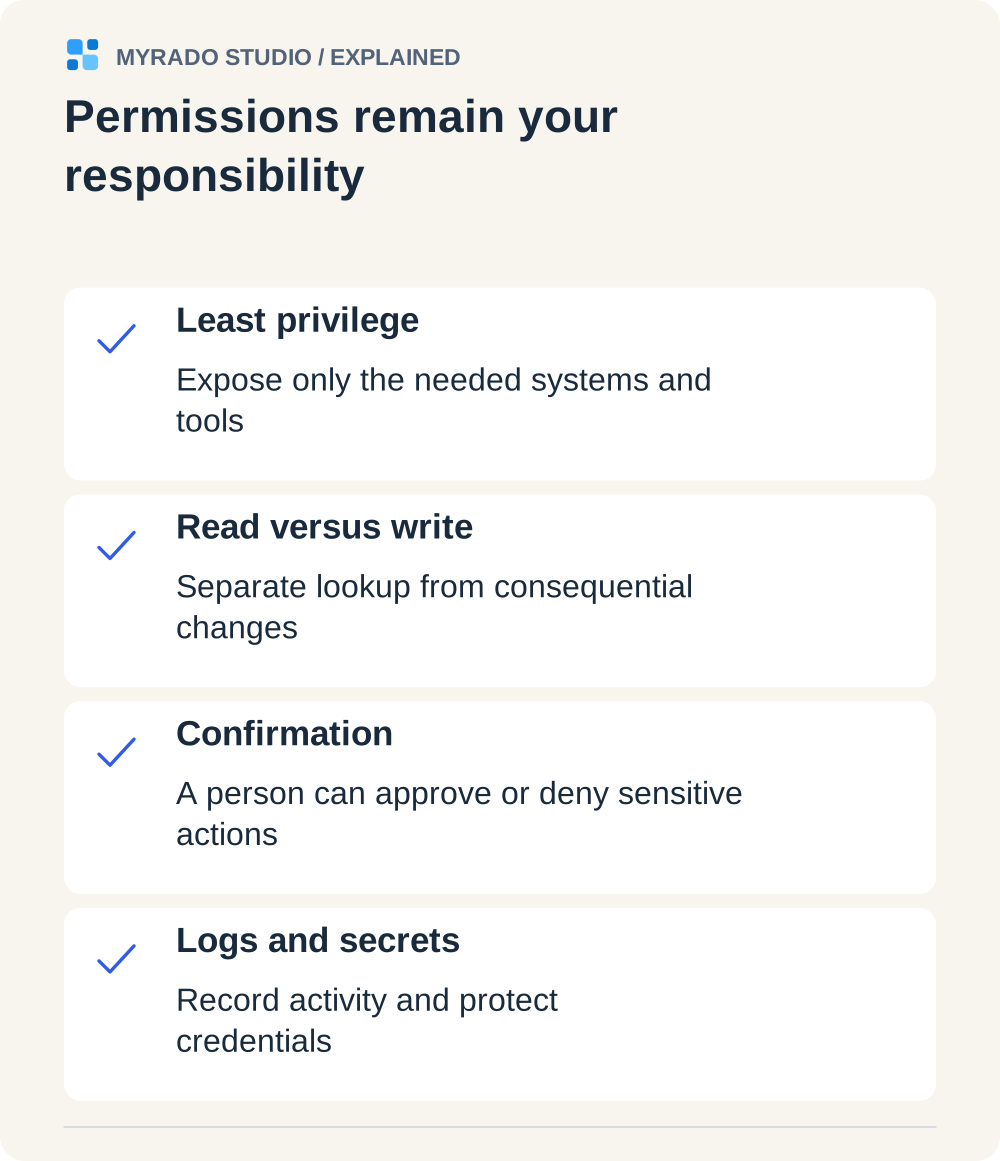
Security: what to ask before you connect AI to your systems
The specification is frank about its limits. It says the protocol can’t enforce security at the protocol level and puts the duty on whoever builds the server and the client. Three points from it:

- A person should be able to say no. The tools section says there should always be a human in the loop who can deny a tool call.
- Hints aren’t proof. Clients must treat a tool’s own description of its behavior as untrusted unless the server is trusted.
- Remote servers should use OAuth. Authorization is optional in the protocol. When a server is reached over HTTP, the specification bases sign-in on OAuth 2.1, requires the server to accept only tokens issued for it and forbids passing a client’s token on to another service.
The official security best practices add a warning about local servers: a server downloaded from the internet runs with the same rights as the user who started it.
| Question to ask | Good answer | Red flag |
|---|---|---|
| Who is the AI acting as? | Each person signs in with their own account and gets their own role | One shared admin key for everyone |
| What can it change? | Read-only first; write tools added one by one, each with confirmation | “Full access, to be flexible” |
| How narrow are the tools? | A saved report or a query with a row limit on a read replica | Free-form SQL on the production database |
| What is logged? | Who, which tool, which arguments, what came back | Nothing, or only errors |
| What reaches the model provider? | Summaries and the fields needed; provider terms checked | Whole records by default |
| Was it tested against planted instructions? | Yes, with poisoned documents and odd requests | “The model is smart enough” |
| Where does a third-party server come from? | A known publisher, a pinned version, code you can read | A one-line install command from a forum post |
Clients differ as well. Claude’s connector documentation says Claude implements a subset of the specification, limits a tool result to about 150,000 characters and gives a tool call 240 seconds on claude.ai and the desktop app. OpenAI’s documentation notes that ChatGPT asks for manual confirmation before write actions. Test in the client your team will use.
What MCP server development costs
Our published prices, from the MCP service page:
- Prototype: from $800, about one week. Read-only, one system, two or three tools, running in your AI client on test data.
- Production server: from $2,000, 2–3 weeks. Read, drafts and writes with confirmation, OAuth sign-in, roles, an audit log, hosting and tests against prompt injection.
- Care plan: from $250 a month. Monitoring, protocol and API updates, small additions.
We found no reliable public benchmark for MCP projects specifically. For context, Upwork’s hiring guide for AI agent developers (September 2026) quotes $30–150 an hour.
What moves the price:
| Driver | Cheaper end | Pricier end |
|---|---|---|
| Systems | One system with a documented API | Several systems, or one with no API |
| Access | Read-only | Writes with rules and confirmation |
| Users | One person, local server | A team with roles and per-user sign-in |
| Data | A few saved reports | Free-form questions over large tables |
| Distribution | Private to your team | A listing in a public directory, with the platform’s review |
Running costs are small next to the build: hosting for a light web service, the assistant subscriptions your team already pays for, and model usage. Claude’s pricing page listed Pro at $20 a month and a Team seat at $25 on monthly billing in October 2026. Which plans allow custom connectors changes, so check yours.
One more line belongs in the budget: maintenance. The 2026-07-28 revision changed how connections work, and clients adopt revisions at different speeds. A server that nobody updates will stop working in some client sooner or later.
Typical mistakes
- One tool per API endpoint. Ten clear tools beat sixty generated ones.
- Returning raw API responses. They are long, cost tokens and leak fields nobody needed.
- Write access on day one. Start read-only and watch how people really use it.
- A shared admin token. The audit log then shows one user, and everyone can do everything.
- Installing unknown servers. A local server is a program with your user’s rights.
- No log. When an answer looks wrong, you need to see which tool was called with what.
- Using MCP for scheduled jobs. Nightly syncs belong in a workflow.
- No owner after launch. APIs and the protocol change; someone has to keep up.
How we would approach it
- A 30-minute call and a list. You name the 10–20 questions and actions your team wants and share API documentation plus a sandbox or a test copy.
- A read-only prototype in about a week, running in your own AI client on test data.
- Production in weeks two and three: sign-in, roles, write tools with confirmation, the audit log, hosting, tests and handover documents.
- Your repository from day one. The code is yours, and model usage and subscriptions are paid in your own accounts.
If a ready-made connector or an automation platform covers your case, we’ll say so on the call. Otherwise, describe your systems on the MCP server development page and you’ll get a plan and a fixed price.
FAQ
What is an MCP server, in simple terms?
An MCP server is a small program that sits between an AI assistant and one of your systems. It offers the assistant a fixed list of tools, such as “find a customer” or “create a task,” and runs them against your CRM, database or API. MCP stands for Model Context Protocol, an open standard that Claude, ChatGPT, Cursor and VS Code support.
What is the difference between MCP and an API?
An API is how programs talk to your system. An MCP server wraps that API for an AI assistant: it describes a few task-shaped tools in plain language so the model can choose the right one, and it applies your limits on what the assistant may read or change. MCP doesn’t replace the API. It usually calls it.
Is it safe to connect Claude or ChatGPT to our CRM through MCP?
It can be, if the server is built for it: each person signs in with their own account, tools are read-only by default, every write needs a person’s confirmation and every call is logged. The protocol itself can’t enforce this. Its specification says so and recommends keeping a human in the loop who can deny tool calls.
How much does it cost to build an MCP server?
On our published price list, a read-only prototype for one system starts at $800 and takes about a week. A production server with OAuth sign-in, roles, an audit log and hosting starts at $2,000 and takes 2–3 weeks, and a care plan starts at $250 a month. The price grows with the number of systems, write actions and per-user permissions.
Does MCP work with ChatGPT, or only with Claude?
Both. MCP was introduced by Anthropic in November 2024 and donated to the Linux Foundation’s Agentic AI Foundation in December 2025, with OpenAI as a co-founder. The official documentation names Claude, ChatGPT, Visual Studio Code and Cursor among supporting clients. Each client supports a slightly different subset of the protocol, so test in the one your team uses.
Do I need an MCP server if I already use n8n, Make or Zapier?
Not always. All three can expose existing automations to an AI assistant over MCP, which may be enough for simple actions. A custom server makes sense when you need per-user permissions, an audit log, your own data model or an internal system those platforms don’t cover. Workflows still run the scheduled, repeatable jobs.